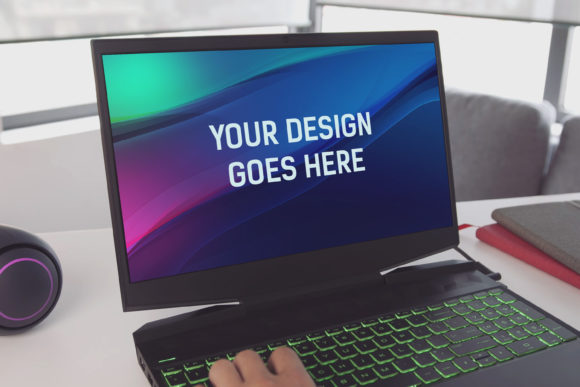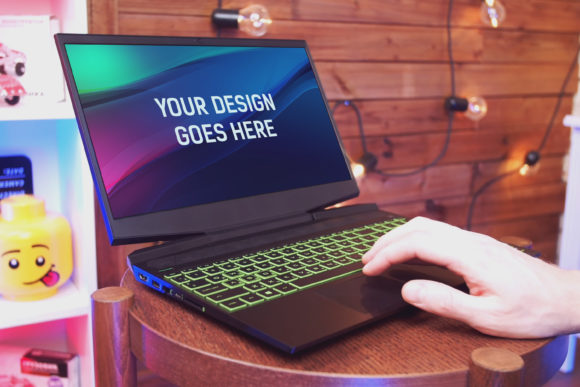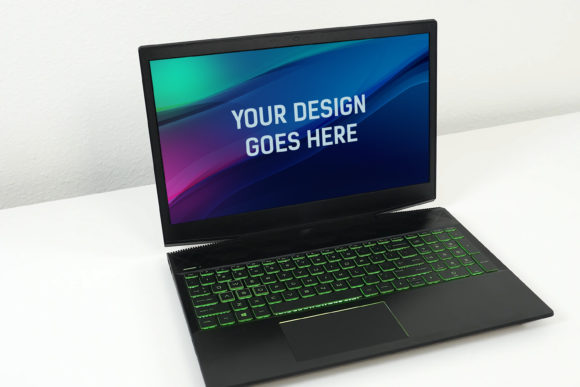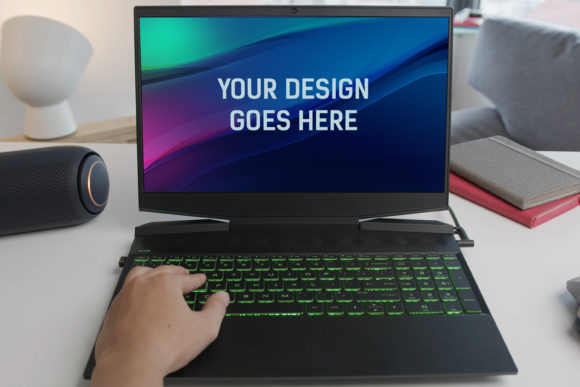
Present Your Designs on a Realistic HP Gaming Laptop
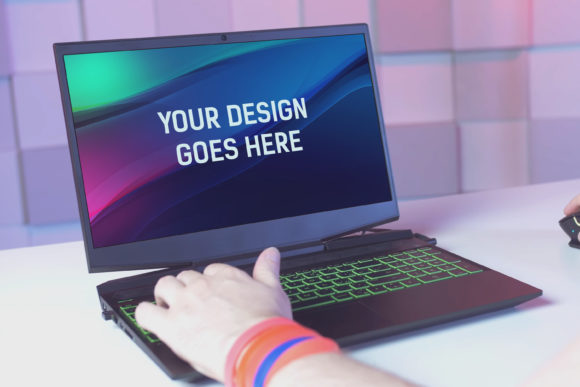
When you have a digital design, mockup, or interface concept, presenting it within a realistic environment can be the difference between a client nodding politely and a client truly understanding your vision. The HP Gaming Laptop Mockup 08 offers a sophisticated solution for this exact challenge. It is a high-quality, layered Photoshop PSD file designed to transform a flat screenshot into a stunning visual presentation placed on a convincing HP gaming laptop screen.
Think of it as the final, professional polish for your work. Instead of sending a JPEG or explaining a concept in abstract terms, you can embed your design into the context where it will be seen. This contextualization matters because it allows stakeholders—whether they are clients, team members, or your social media audience—to visualize the end product in a tangible way. For a gaming laptop interface, app design, or software dashboard, seeing it on the actual device adds immense credibility.
How This Mockup Translates Effort into Professional Results
The core value of the HP Gaming Laptop Mockup 08 lies in its ease of use and the quality it guarantees. The file is structured as a layered and grouped PSD, with your target area defined as a Smart Object. This technical setup means the process is remarkably straightforward: you open the file in Photoshop, double-click the designated Smart Object layer, paste in your design or screenshot, save, and close. The mockup updates automatically, applying the built-in lighting, shadows, and screen perspective seamlessly to your content.
This automation is a significant time-saver. Professionals, especially freelancers and small business owners juggling multiple projects, often need to produce polished presentations quickly. Manually creating a realistic laptop mockup from scratch requires skill in photo manipulation, lighting, and perspective—tasks that can consume hours. This mockup eliminates that entire workflow, allowing you to focus your energy on the design itself rather than its presentation wrapper.
Furthermore, the included beautiful photo filters are not just aesthetic extras; they serve a practical function. Different designs may require different moods or lighting conditions to look their best. A dark, immersive game interface might benefit from a cooler filter, while a vibrant streaming app might look better with a warmer tone. Having these adjustable filters within the same file gives you creative control without needing to search for additional resources or learn complex color grading.
Real-World Scenarios Where This Mockup Makes a Difference
Consider a freelance UI/UX designer pitching a new game launcher interface to a development studio. Emailing wireframes and flat designs can leave room for interpretation. By using the HP Gaming Laptop Mockup 08, the designer can present the interface as if it’s already running on the target hardware. This not only strengthens the proposal but also helps the client make more confident decisions, as they are evaluating the design in its intended environment.
Marketers and content creators also find immense value. Perhaps you’ve written a blog post about gaming performance and want to illustrate a point with a custom benchmark graph. Placing that graph on a realistic laptop screen within your article or social media post makes the visual more engaging and trustworthy. It suggests real-world application, which can improve reader comprehension and shareability.
Educators and trainers creating course materials for software tutorials can use this mockup to create consistent, professional-looking slides and videos. Instead of showing disembodied software windows, they can display the application within the laptop, providing a more cohesive and realistic learning experience for students.
The Importance of Technical Specifications for Professional Use
While the ease of use is a major benefit, the underlying technical quality ensures your final output meets professional standards. The mockup’s size of 3000x2000 pixels at 300 DPI is a critical detail. This resolution guarantees that your presentation images are suitable for high-quality print materials, such as portfolio brochures or conference posters, as well as for digital use on high-resolution screens and websites. You won’t encounter pixelation or blur when your work is viewed up close or scaled for larger formats.
The layered and grouped PSD structure offers another layer of practicality. If you have intermediate Photoshop skills, you can make subtle adjustments beyond the Smart Object. You might want to slightly alter the angle of the laptop, tweak the background, or modify a shadow to better match your brand’s style. This flexibility is helpful for users who need the mockup to fit into a specific existing visual identity or campaign theme.
Identifying Who Benefits Most from This Tool
This mockup is particularly valuable for individuals and professionals whose work needs to be communicated visually with a high degree of realism. Graphic designers, UI/UX specialists, and digital artists are primary users. Entrepreneurs presenting a prototype to investors or on a crowdfunding page can leverage it to create more compelling pitch visuals.
Bloggers and publishers in the tech, gaming, and creative software spaces can use it to enhance their editorial content, making tutorials and reviews more visually authoritative. Even hobbyists creating personal project portfolios will find it elevates their presentation, helping their work stand out in online communities or job applications.
It is worth noting that this tool is specifically a Photoshop (PSD) file. For users who primarily work in other software like Sketch, Figma, or Canva, an additional step of exporting their design for use in Photoshop is required. However, for those already within the Adobe ecosystem or comfortable with Photoshop, it integrates seamlessly into their workflow.
A Thoughtful Approach to Elevating Your Visual Communication
Ultimately, the HP Gaming Laptop Mockup 08 is more than just a digital template; it’s a bridge between your creative work and your audience’s perception. It supports stronger communication by providing a common, realistic frame of reference. It increases efficiency by automating the technical parts of presentation creation. And it supports creative goals by offering a quality foundation upon which your designs can shine without distraction.
When considering such a tool, it’s sensible to assess your specific needs. If your designs are primarily for mobile devices or other hardware, a laptop mockup might not be the ideal fit. But for projects targeting the gaming laptop or desktop software market, this mockup provides a targeted, high-quality solution. By allowing you to “pop in your design” and get a professional result automatically, it turns a complex presentation task into a simple, reliable step in your process, freeing you to focus on what matters most: the quality of the design itself.