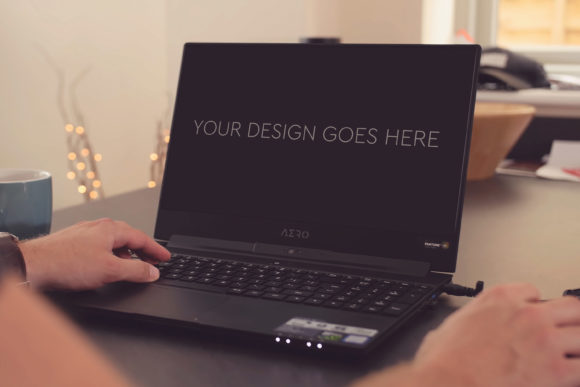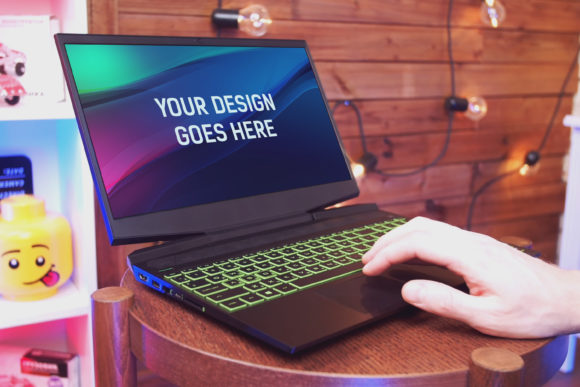
The HP Gaming Laptop Mockup 20 for Design Presentations
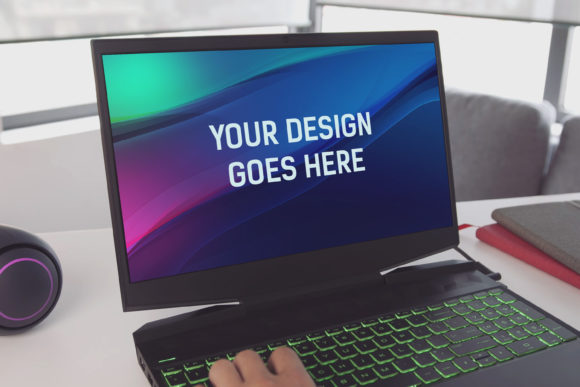
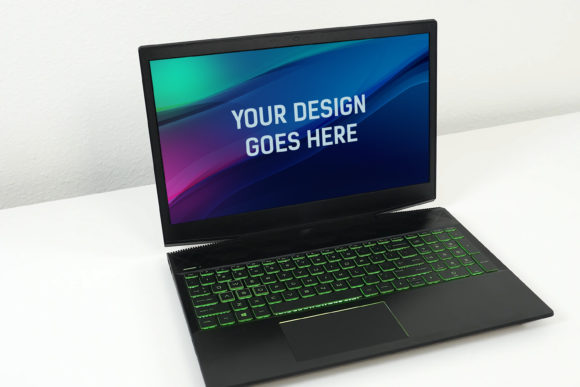
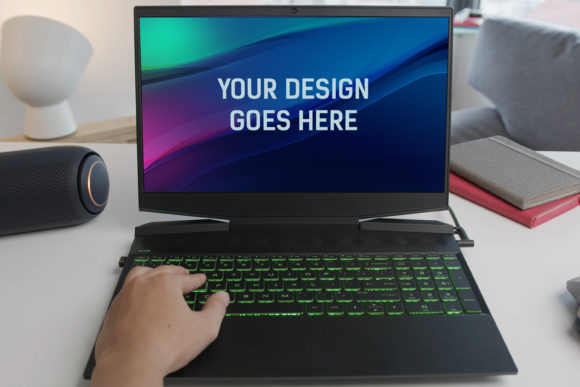
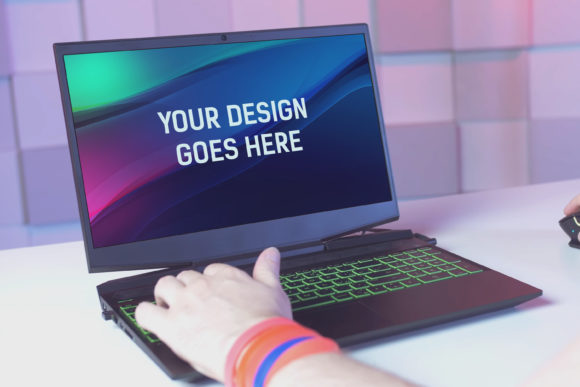
Imagine you've just finished a stunning website interface or a sleek logo. Your design is perfect, but presenting it as a flat image on a white background doesn’t quite capture its real-world impact. This is where a high-quality device mock-up, like the HP Gaming Laptop Mockup 20, becomes an indispensable tool. It’s a professionally crafted Photoshop template that allows you to place your design onto a realistic photograph of a gaming laptop, creating a presentation that feels authentic and compelling.
The package is straightforward: one layered PSD file at 3000x2000px and 300dpi. You simply insert your design or screenshot into the designated smart object, and the mockup automatically applies perspective, shadows, and lighting. The file includes grouped layers and beautiful photo filters, making the process intuitive even for those with limited Photoshop experience. The result is a high-quality visual that can elevate any portfolio, marketing material, or client pitch.
Why a Mockup Matters Across Different Fields
The value of a tool like the HP Gaming Laptop Mockup 20 isn’t universal; it shifts dramatically depending on who is using it and for what purpose. For a freelance graphic designer, it might be about winning a client. For a marketing manager, it could be about internal stakeholder approval. A hobbyist might simply want to make their personal project look more polished. Understanding these differing priorities helps you decide if this resource aligns with your specific needs.
Creators and Professionals: Presentation is Everything
For UI/UX designers, web developers, and digital artists, presentation quality directly influences professional perception. Using the HP Gaming Laptop Mockup 20 allows you to showcase a website or app design in a context that users will recognize—on a high-performance laptop screen. This contextual framing answers client questions before they’re asked: "How will this look on a real device?" The mockup’s high resolution (300dpi) ensures the image remains crisp even in printed portfolios or large pitch decks. The priority here is professional credibility and commercial value. The ease of use, via the smart object system, means less time spent on tedious photocomposition and more time refining the actual design.
Consider a professional designer pitching a new gaming website. A flat screenshot might be functional, but placing that design into the HP Gaming Laptop Mockup 20 instantly creates a narrative. It suggests a user experience, an environment, and a level of finish that can make the proposal more persuasive. The layered PSD offers flexibility—perhaps adjusting the screen’s glow or the ambient light on the laptop chassis to match the design’s mood—which is crucial for seasoned professionals seeking precise control.
Beginners and Learners: Building Confidence with Quality Tools
If you’re new to design or building your first portfolio, the barrier isn’t just skill; it’s often confidence. A complex mockup requiring manual masking and lighting adjustments can be daunting. The HP Gaming Laptop Mockup 20, described as “very easy to use,” addresses this directly. The automatic application of effects via a smart object means a beginner can achieve a professional-looking result quickly. This has significant learning value.
A student creating a project for a class, or a hobbyist sharing work on social media, can use this mockup to see their design in a realistic setting without mastering advanced Photoshop techniques. The experience is empowering: it demonstrates how context enhances design and provides a hands-on lesson in using smart objects and layered files. The quality outcome boosts the perceived value of their work, encouraging further exploration in the field. For this audience, ease of use and a quality final product are often the most important factors.
Evaluating the Mockup for Business and Marketing Needs
Entrepreneurs, marketers, and small business owners often operate with different constraints. Time, budget, and the need for rapid iteration are paramount. A mockup like this serves as a cost-effective asset for creating marketing visuals, social media ads, or website hero images. Instead of hiring a photographer to stage a laptop with your software, you generate a polished image in minutes.
Imagine a small tech startup launching a new application. They need compelling visuals for their landing page and press kit. The HP Gaming Laptop Mockup 20 allows them to produce a series of cohesive, high-quality images showing their app on a device that conveys power and modernity—a gaming laptop. The included photo filters can quickly adjust the tone to match brand colors. Here, priorities are speed, cost-effectiveness, and reliability. The assurance that the PSD is properly grouped and layered reduces the risk of technical hiccups during a tight deadline.
The Consumer and Hobbyist Perspective
Even outside professional contexts, the desire to present personal projects beautifully is strong. A blogger creating a guide to software, a hobbyist developer releasing a free tool, or an educator preparing online course materials might not have a design budget. This mockup acts as an accessible tool to add polish. For them, the long-term usefulness and flexibility of the single PSD file are key.
They can use it repeatedly for different projects. The 3000x2000px size ensures the image is versatile for blog posts, YouTube thumbnails, or community forum posts. The evaluation criteria are simpler: does it make my work look better without requiring a steep learning curve or ongoing cost? The automatic nature of the mockup answers yes.
Aligning the Tool with Your Project Goals
How do you know if the HP Gaming Laptop Mockup 20 is right for you? Start by considering your primary objective. Is it to impress a client with a realistic presentation? The quality and automatic photo filters serve that goal. Is it to learn and build your skills? The easy-to-edit smart object and layered structure provide a great learning platform. Is it to produce marketing assets quickly? The speed and reliability of the process are vital.
Also consider your comfort with Photoshop. While the mockup is designed to be simple, requiring only that you know how to replace a smart object, absolute beginners might need a quick tutorial. However, the effort is minimal compared to creating such an effect from scratch. The beautiful, pre-set filters also mean you can achieve a great look without any color correction knowledge.
Ultimately, the HP Gaming Laptop Mockup 20 bridges the gap between a great design and a great presentation. It matters to the professional seeking to elevate their pitch, to the learner building their first portfolio, and to the business owner creating cost-effective marketing. By placing your work into a recognizable, high-quality context, it tells a fuller story about your design’s intent and impact. Whether your priority is creativity, commercial appeal, or simply a polished finish for a personal project, this tool offers a practical path to achieving that visual credibility.